Slow Computer: The 7 Real Causes (and What Actually Works)
Full drive, RAM, SSD, overheating: the 7 real causes of a slow computer and the fixes that actually work, explained by a technician in Paris.
Published on 8 juil. 2026 · Computer repair in Paris
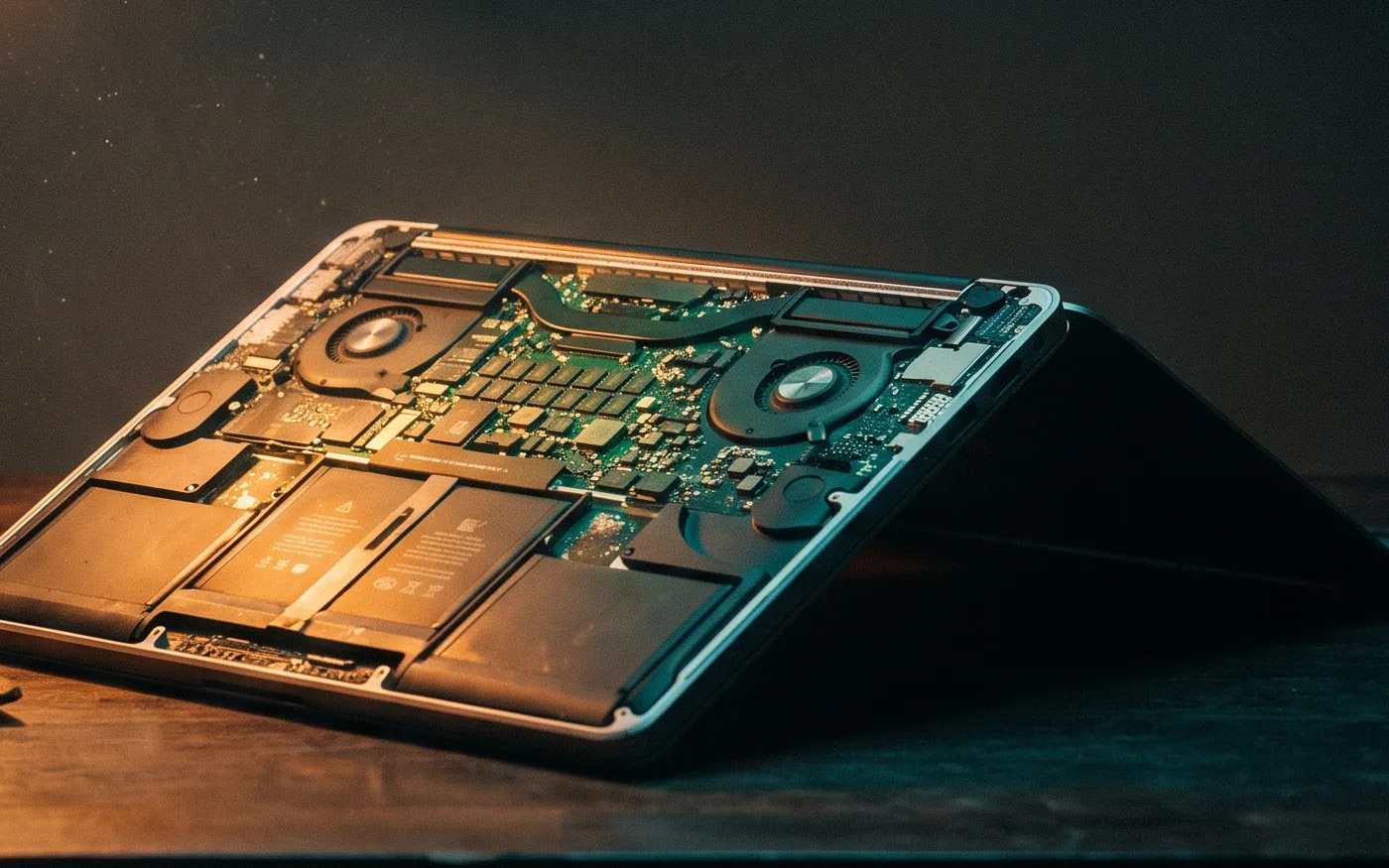
A computer that drags almost always comes down to one of these seven causes: a full drive, too many programs launching at startup, an ageing mechanical hard drive, not enough memory, overheating and dust, malware, or a system that has never been maintained. The good news: in eight cases out of ten, we get a machine running smoothly again without replacing it. Here is what really slows your PC down, in order, and what actually works for each one.
1. The drive is full to the brim
This is cause number one, especially on laptops bought with small storage. When less than 10% of space is left free, Windows has no room to breathe: no comfortable page file, no clean updates, everything drags. I see it every day with clients in the 16th who pile up years of photos and PDFs on the desktop.
- Empty the recycle bin and the Downloads folder.
- Move photos and videos to an external drive or the cloud.
- Uninstall the software you never open.
2. Too many programs launch at startup
Almost every app you install wants to start with Windows. After two years, twenty programs are fighting for memory the moment you switch on, and you sit there for three minutes staring at a frozen desktop. Open Task Manager, go to the Startup tab, and disable anything that isn't essential: third-party software updaters, printer helpers, duplicate sync clients. Keep your antivirus and graphics driver; the rest can wait until you actually need it.
3. An old mechanical hard drive
If your machine is more than five or six years old and has never been opened, it's probably still running on a spinning hard drive. That's the most brutal bottleneck of all: the part reads data at a snail's pace compared to an SSD. Swapping it for an SSD is the one job that genuinely transforms a machine. A 2018 laptop ends up snappier than it was the day it left the shop. Expect roughly 120 to 220 € for parts and labour on a typical laptop. It's the first thing I recommend in computer repair in Paris when the slowness is structural.
4. Not enough memory (RAM)
RAM is your computer's workbench. With 4 GB, opening Chrome with fifteen tabs, a video call and a spreadsheet is enough to bring everything to a halt. The drive scrambles to pick up the slack and the machine starts stuttering. Going from 4 to 8 GB, or 8 to 16 GB, often costs between 40 and 90 € on a compatible machine, and the effect is immediate for anyone juggling several apps. One warning: many recent laptops have the memory soldered on and impossible to change. A quick diagnosis stops you counting on an upgrade that isn't there.
5. Overheating and dust
In Haussmann-era flats, between the rugs, the pets and the windows that open onto zinc rooftops, dust builds up fast inside the fans. When the processor gets too hot, it throttles itself to avoid frying: that's the famous slowdown that kicks in after twenty minutes, usually with a fan roaring like a hairdryer. An internal clean and fresh thermal paste give it room to breathe again. On a laptop that cuts out mid-call, it's almost always this.
6. Malware or an overrun browser
Toolbars that install themselves, a hijacked home page, pop-up ads out of nowhere: these parasites run in the background and drain your resources. We're not necessarily talking about a dramatic virus, often just dodgy extensions and adware picked up over years of downloads. A proper clean-up, removing unknown extensions and an up-to-date antivirus usually sort it out. If your machine is only slow when you browse, start here.
7. A system that's never been maintained
Windows that hasn't been updated in months, ageing drivers, dozens of pending updates looping in the background: a neglected system degrades on its own. Basic upkeep means applying updates, clearing temporary files and checking the drive's health. On an old but sound machine, a full system reset often makes buying a new one completely unnecessary.
Where to start, concretely
Work through it in order: disk space first, startup programs next, then overheating and the browser. If the machine still drags after all that, the problem is hardware: a mechanical drive or a lack of RAM. Both of those are fixed for around a hundred euros and buy a machine several more years, far cheaper than a new computer. For a Mac the logic is similar but the levers differ: see Mac repair in Paris.
How to speed up and clean a slow computer for free
1. Free up space. Empty the recycle bin and Downloads folder, move large files you want to keep elsewhere, and uninstall software you no longer use. Use the system's built-in storage cleanup for temporary files rather than deleting system files at random.
2. Trim the startup list. Stop non-essential apps from launching with the system. Keep the antivirus, drivers and tools you need. Anything you use occasionally can wait until you open it.
3. Remove dust without taking risks. Shut the computer down, unplug it and clear the air vents. Only open the case if you are comfortable taking it apart. A laptop that is difficult to open or heavily clogged is better given a professional deep clean, which is paid work.
4. Remove genuine clutter. Uninstall bundled software you do not use and unknown browser extensions, then restart and apply system updates. I do not recommend third-party “cleaner”, “booster” or “registry repair” tools. They do not fix a hardware bottleneck and rarely deliver the improvement they promise.
If the computer is still slow after those free steps, find the real bottleneck. A mechanical hard drive remains slow even when it is tidy, and insufficient RAM cannot hold a workload that is too large for it. Moving from an HDD to an SSD is usually the single biggest improvement in everyday use, but the SSD costs money and fitting or migrating it may cost more. A RAM upgrade also costs money and only works on a compatible machine. Free maintenance helps; it is not a substitute for those parts when the hardware is the cause.
If you'd rather not open the machine yourself, I diagnose and fix computers across Paris and the near suburbs, often at your home. A quick call or WhatsApp message to 07 66 84 52 57 is enough to describe the symptom, and I'll tell you straight away whether it's a software clean-up or a real parts swap. No jargon, a clear quote before any work. You can also reach me through the contact page.