Reduce IT Costs for Your Small Business: Paris Guide
A communications agency owner near République showed me her subscription list last year: twenty-two SaaS tools, nine of which nobody on the team could actually explain. Reducing IT costs almost never means cutting security or working comfort, it means no longer paying for nothing. Here's what actually moves the needle, in the order I work through it with my Paris clients, and what you should leave alone.
Published on 4 Aug 2026 · Small business IT maintenance in Paris

At that agency, five licences still belonged to people who'd left more than a year earlier, two project-management tools did exactly the same job, and a €40-a-month hosting plan was still running for a site offline since 2024, one nobody wanted to cancel in case it broke something. Total recovered in one afternoon: €187 a month, without dropping a single tool anyone actually used. That's almost always where I start with a Paris small business, before hardware or cloud subscriptions even come into it.
Start by auditing what you're already paying for
The usual instinct is to shop around for cheaper laptops or a cheaper mail plan. The first thing worth checking is actually the list of recurring charges, often spread across several company cards and never tracked centrally. A Microsoft 365 licence tied to a former employee never cancels itself; on a team of six with normal turnover, a first audit typically turns up two to four ghost licences. Also look for duplication — two tools doing the same job — and hosting inherited from a previous agency, still paid for because nobody's sure what would break if it stopped. A simple spreadsheet, one column per tool with price, active users and last renewal date, surfaces most of this in under an hour.
Right-size your Microsoft 365 or Google Workspace plan
Plenty of owners default to the top-tier plan out of caution, without checking whether the team actually needs it. In 2026, Microsoft 365 Business Basic runs around €5.60 excl. VAT per user per month, Business Standard around €12.10, and Business Premium around €22. Across five users, the gap between Basic and Premium adds up to more than €970 a year. Premium only earns its price for machines that handle sensitive data remotely or need centralised device management, not a front-desk computer that just opens email. Mixing plans based on what each person actually does, rather than one plan for the whole team by default, almost always costs less — it's one of the first things I review during a Microsoft 365 support visit.
Extend hardware life with an SSD or RAM upgrade before replacing it
A sluggish computer doesn't automatically need replacing. Swapping a mechanical hard drive for an SSD, or adding RAM on a model that supports it, often buys several more years of comfortable use from a five- or six-year-old machine, for a fraction of the price of a new one. I laid out the exact thresholds for deciding machine by machine in the article on repairing versus replacing an old computer.
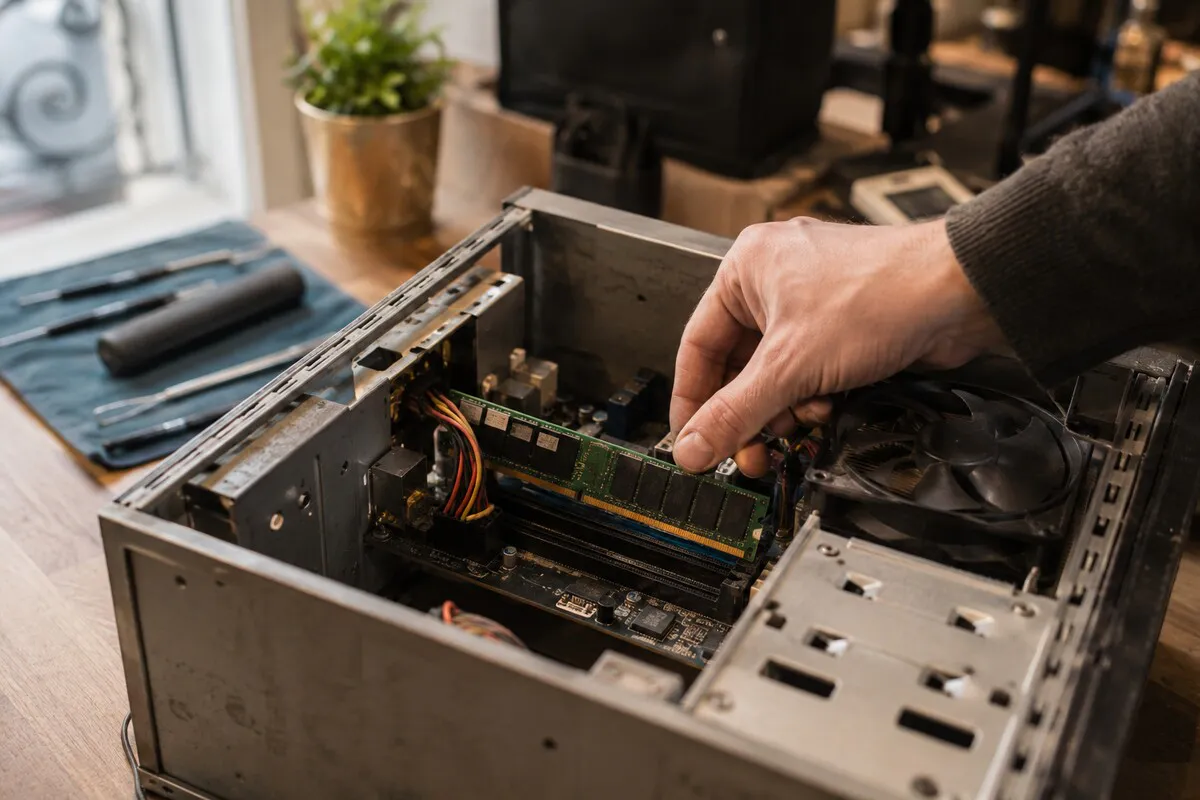
At 2026 Paris prices, a 500GB SSD costs €40 to €65, a RAM module €35 to €70, and labour for installation and migration runs roughly €50 to €90. Budget €100 to €160 all in, against €700 to €1,200 for an equivalent new laptop. Across a five-machine fleet, that reshapes the entire year's budget.
Buy refurbished for the machines that don't need to be new
A reception computer, a back-office machine used for email and a till system, or a test laptop for an intern all work fine as warrantied refurbished units — expect to pay 30 to 45% less than new. The condition is at least a twelve-month warranty, a recent battery, and documented component testing, not just "tested and working" with no detail behind it. Save new hardware for machines carrying a real daily workload — design, accounting, development — where downtime immediately stalls the business.
Consolidate suppliers instead of stacking providers
I have a client near Passy who was paying three separate invoices for web hosting, a domain name and business email, each with a different provider and three people to chase when something broke. Consolidating all three under one provider cut the bill by €22 a month and halved the time wasted figuring out who owned what. A cloud setup split across too many providers usually costs more than the sticker price suggests; I cover the traps in the article on the real cost of cloud infrastructure for a small business. The same logic applies to web work: one point of contact for site maintenance and urgent fixes generally costs less than a retainer agency plus a separate freelancer for anything urgent. I offer this through my freelance IT services for businesses that want a single contact.
Preventive maintenance: worth it, but not always
A maintenance contract avoids the expensive emergency: an out-of-hours call-out, a failure that stops the whole team, data lost because a backup was never verified. For a business with three to ten machines and a server, the maths almost always favour the contract; I break down the plans and pricing in the article on an IT maintenance contract for small businesses.

But let's be honest: for one or two lightly used machines, paying for occasional call-outs usually works out cheaper over a year than a subscription that barely gets used. I say this directly to clients who ask for a contract quote: it's often better to keep my number for the odd bit of IT troubleshooting in Paris and only pay when there's an actual problem. A contract has to match the real size and dependency of the business, not be a box ticked by default.
Print less, share equipment, watch the electricity bill
A shared network printer, set to double-sided by default with toner bought in bulk, costs noticeably less than three separate desktop printers, each with its own consumables and its own jam. Moving internal documents to digital, with e-signatures instead of printing by default, cuts both the consumables budget and the time lost chasing a jam. Electricity is the line item most often forgotten: screens left on overnight, an old file server running around the clock, machines that never sleep because nobody set the power settings. Across a six- to eight-person office, these habits easily add up to €15 to €30 a month wasted, for a setting that costs nothing to fix.
The false economies that cost far more later
Not every saving is worth making. Some short-term cuts end up costing ten times more at the first real incident.
Skipping backups
A business without a tested backup that loses a hard drive or gets hit by ransomware doesn't just lose time, it sometimes loses client files that can't be rebuilt. A proper backup setup runs roughly €15 to €40 a month; manually reconstructing data after a disaster is measured in lost working days, when it's even possible.
Staying on unsupported Windows
Sticking with a system that no longer gets security patches, like Windows 10 after the end of support explained here, leaves the business exposed to known flaws that will never be fixed. The saving looks like a saving right up until an exploited flaw takes down the whole fleet.
Free consumer antivirus on business machines
A free antivirus built for personal use rarely reacts to suspicious behaviour in real time, exactly what's needed to stop ransomware before it encrypts files. I cover what to look for in a proper business solution in the article on choosing the right antivirus for a business. The price gap is small next to the cost of one infected machine spreading across the network.
The cheapest laptop for someone on it eight hours a day
Saving €200 on an entry-level laptop for a full-time role gets paid back in constant slowness and often an early replacement after eighteen months. It's worth spending €150 to €250 more on a model built to last, and keeping it five years instead of two.
When to call a technician instead of guessing
A full audit — subscriptions, cloud plans, hardware — usually takes half a day for a three- to eight-machine business and almost always pays for itself within the first month. If nobody can say exactly what IT costs the business each month, that's the signal it's time. I come on site in Paris, go through subscriptions, hardware and current contracts, and leave with a costed action plan, machine by machine.
Frequently asked questions about reducing IT costs
How much can a small business really save on its IT budget?
For a business with three to eight machines, auditing unused subscriptions and right-sizing the Microsoft 365 or Google Workspace plan alone often recovers €50 to €150 a month, without touching any hardware. Add SSD/RAM upgrades instead of routine replacement and the yearly saving frequently passes €1,000 to €2,000 for a small team.
Should every employee really be on the most expensive Microsoft 365 plan?
No, in most cases. The top-tier plan only pays off for machines that genuinely need advanced device management or stronger compliance controls. Mixing plans based on what each person actually does almost always costs less than putting everyone on the same plan by default.
Is refurbished hardware reliable for a business?
Yes for non-critical machines, provided you buy warrantied refurbished hardware with at least a twelve-month guarantee, a recently replaced battery, and documented component testing. It's not the right choice for an accounting workstation or a server, where reliability matters more than price.
Is an IT maintenance contract always worth it?
Not always. For one or two lightly used machines, paying for occasional call-outs often works out cheaper over a year than a monthly contract. A contract starts paying off from around three or four machines, with a server, or as soon as downtime from a failure costs more than the subscription itself.
Want a full IT budget audit for your business in Paris? Call or message me at 07 66 84 52 57, by phone or WhatsApp. I come on site, find what's costing you for nothing, and leave you with a costed action plan, no unnecessary jargon.