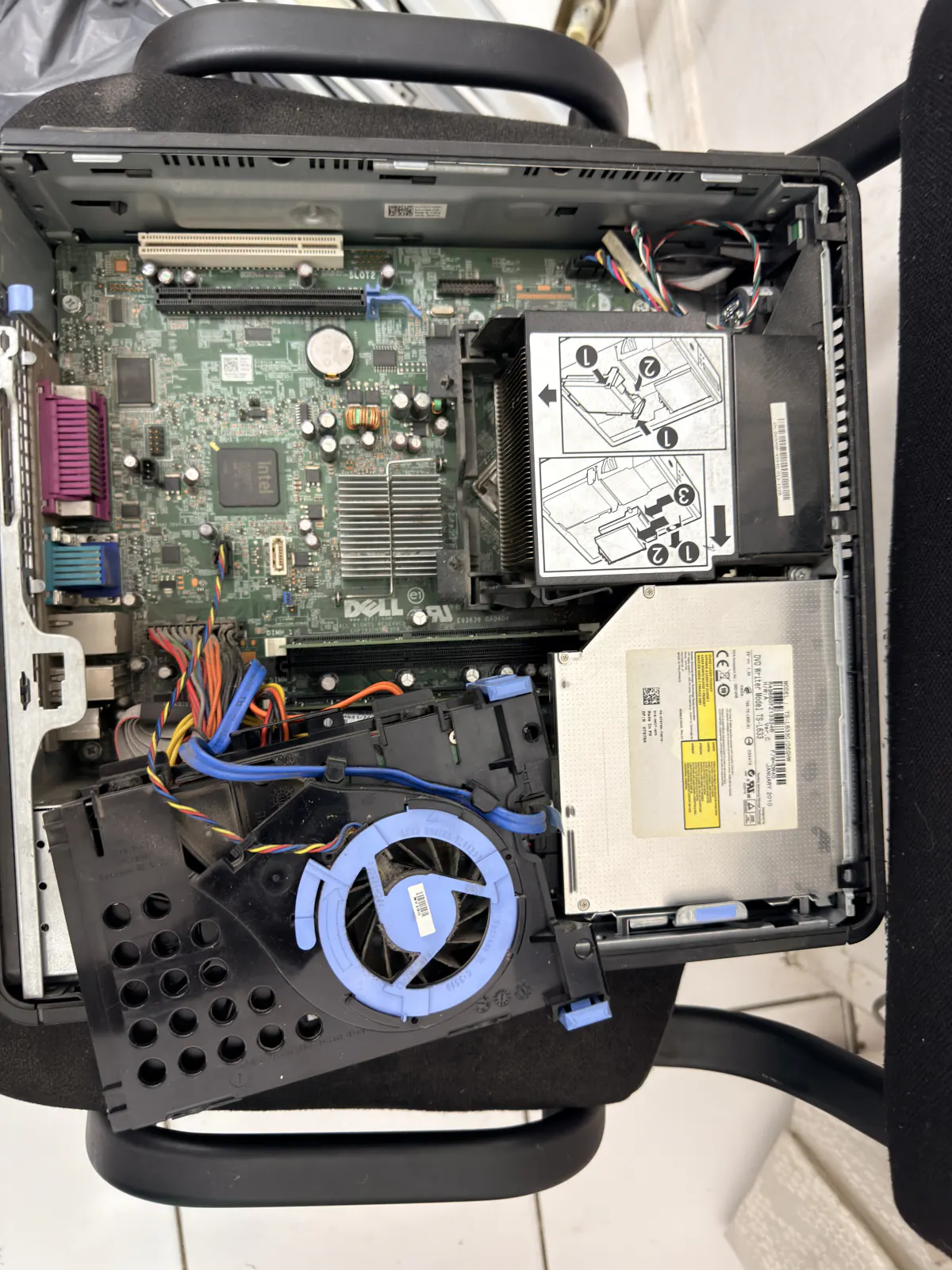
A client from the 16th arrondissement came into the workshop in February with a Dell desktop bought back in 2013 — the kind of machine that's still sitting in plenty of Paris living rooms. The fan was screaming, boot-up took nearly four minutes, and she wanted a straight answer: repair it, or buy a new one? It's the question I hear more than almost any other, right after "is it bad?", and it deserves better than a yes or no over the phone before I've even seen the machine. Here's the actual method I use in the workshop, with the prices I'm charging in Paris in 2026.
Age doesn't tell you everything, but it points the way
A computer under four years old is almost always worth repairing, whatever the fault, because the rest of the components still have several good years left once the problem is fixed. Between four and seven years, it depends on use: a machine that mainly opens a browser and a spreadsheet still has plenty of life in it, while one that's already struggling under Windows 11 with everyday tasks is starting to show structural limits. Past eight years, I look at the machine differently: the question stops being "can this be fixed" and becomes "is it still worth it, for this particular use". An old but solid desktop tower like the one below can easily take an SSD and more RAM and run happily for three or four more years, as long as the processor can keep up.

First, what's the actual fault?
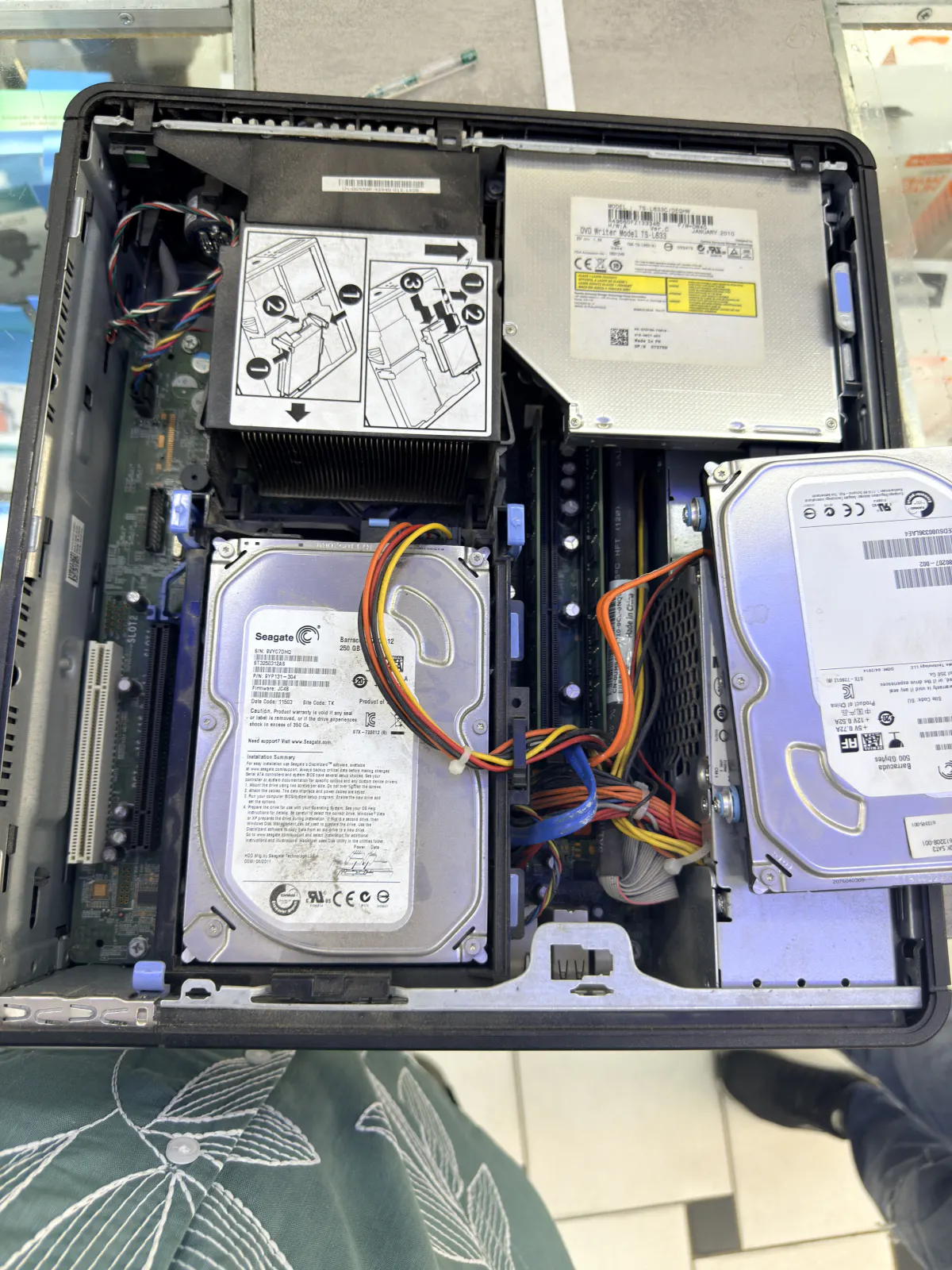
A lot of clients arrive convinced their computer is "finished" when it's really suffering from something ordinary and cheap to fix. Gradual slowdowns, a fan that keeps spinning up, or a painfully slow boot are almost always a software cleanup, a RAM upgrade or an SSD swap away from being solved — I go through the most common causes in my article on the 7 real causes of a slow computer in Paris, so I won't repeat them here. The real warning sign is when several components fail at once: a power supply and a hard drive giving out the same week, for example, or a motherboard showing signs of weakness on a machine whose hard drive is already clicking. I see this kind of compound failure often on towers older than ten years running two internal hard drives, like the one below — at that point, replacing one part sometimes just reveals the next one about to go, and the quote climbs fast.
RAM and SSD: the upgrade that buys a second life
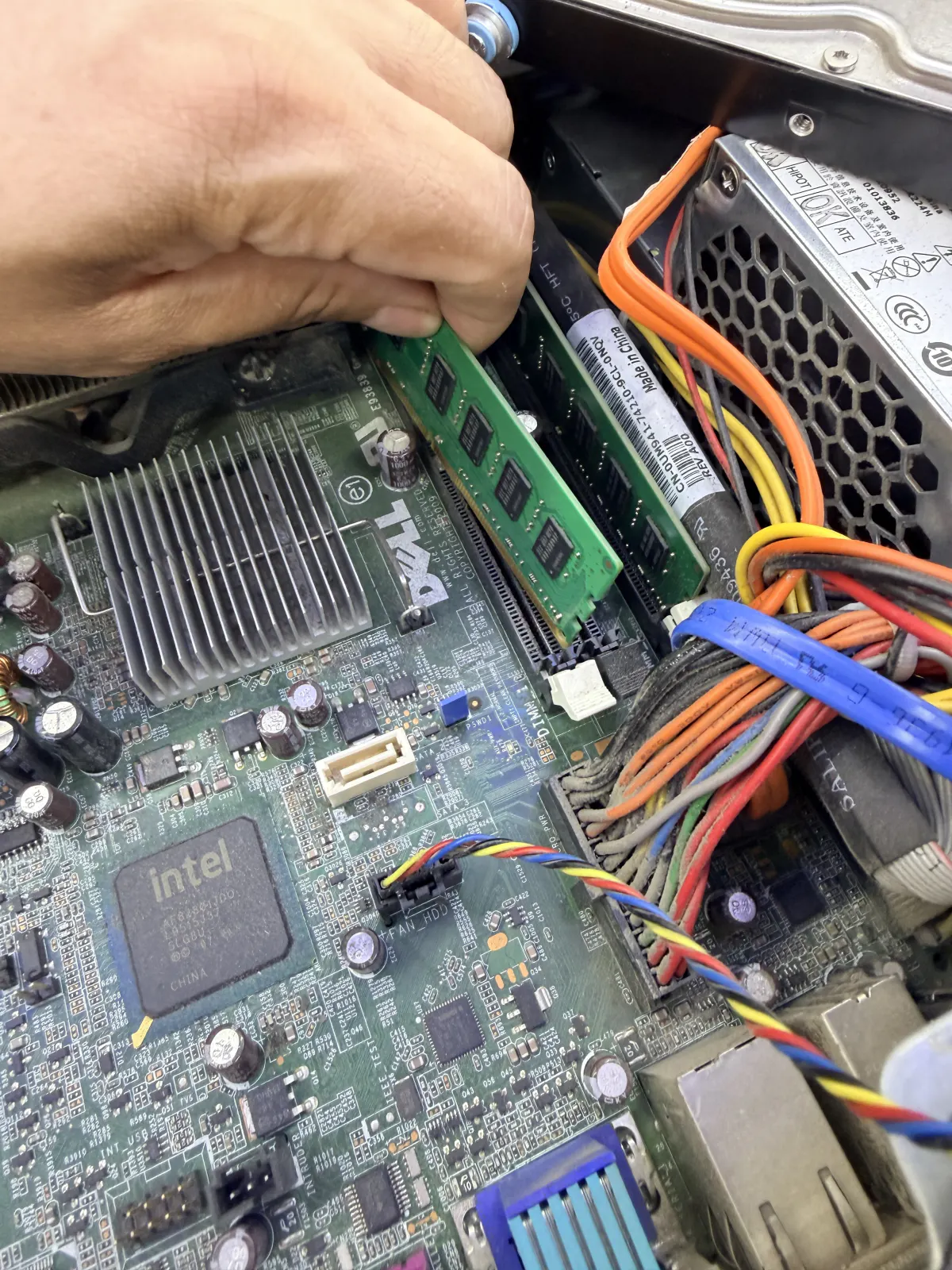
This is by far the best-value job I do in the workshop. On a desktop or laptop that still has a free slot, going from 4 or 8GB to 16GB of RAM costs between €60 and €100 for the part and the install, and you feel the difference the moment you log back in. Cloning the old mechanical drive onto an SSD, without reinstalling Windows or losing a single file, runs €90 to €150 depending on capacity — it's the single change that transforms an old machine the most, often more than anything else I could do to it. I usually install both together, because they complement each other: RAM stops the multitasking freeze, the SSD kills the waiting around at boot and when opening programs.
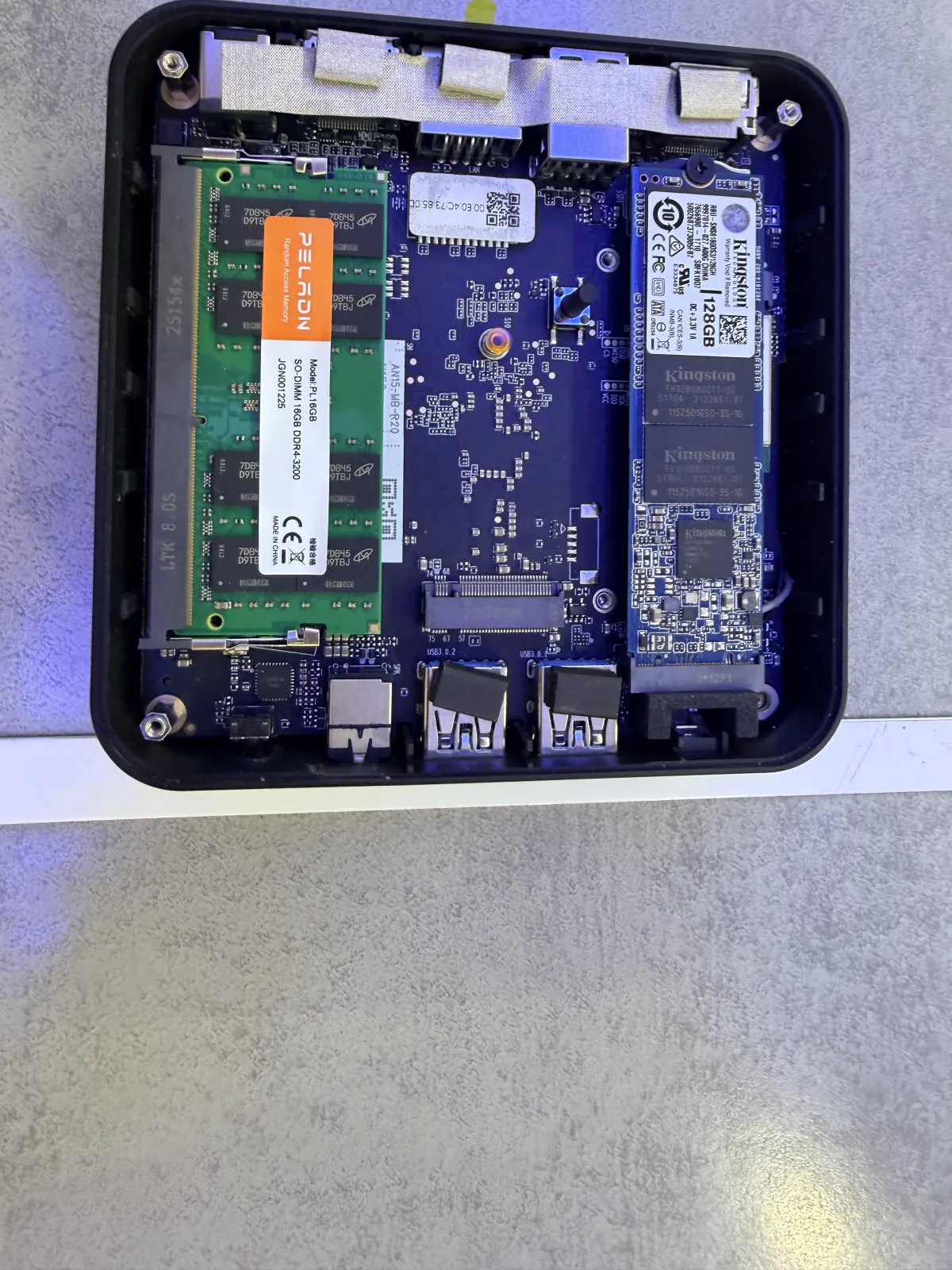
The same logic applies to the compact mini PCs now sitting on more Paris desks and shelves: less room inside, but usually a SO-DIMM RAM slot and one or two M.2 slots for an SSD, like the unit below. The catch on these smaller formats is that the processor is typically soldered to the board and can't be swapped — the upgrade improves responsiveness, but it doesn't change raw processing power.
The 40-50% rule: comparing the quote to replacement value
Here's the rule I actually apply on the workshop floor, the one that settles most cases: if the repair quote comes to more than 40 to 50% of the price of an equivalent new computer, repairing becomes a real question worth putting on the table before going further. A concrete example: a power supply replacement plus an SSD on a four-year-old desktop comes to around €200, on a machine whose new equivalent would cost €550 to €700 — repairing it is clearly the better deal. On the other hand, a motherboard replacement on a nine-year-old tower, quoted at €280, on a machine whose comparable new version sells for €400, sits dangerously close to that threshold — I say so plainly to the client, without pushing either way. For a full breakdown of prices by fault type, it's all laid out in my guide to computer repair prices in Paris. The diagnosis itself stays free either way: I'd rather the decision get made on real numbers than a guess over the phone.
The environmental angle: repairing is also a choice not to throw away
I'm not neutral on this, and I'd rather just say so: every computer that gets three or four more years instead of turning into e-waste means rare metals, manufacturing and shipping that didn't have to happen. France has had a proper e-waste recycling scheme (DEEE) for electronics for years now, which is good, but recycling is still a fallback compared to keeping a working machine running longer. That's not an argument for repairing something that clearly isn't worth it — if the economics point firmly to a new machine, replace it. But in the many borderline cases, I think the more responsible option deserves to be weighed just as seriously as the more convenient one.
When replacement clearly wins
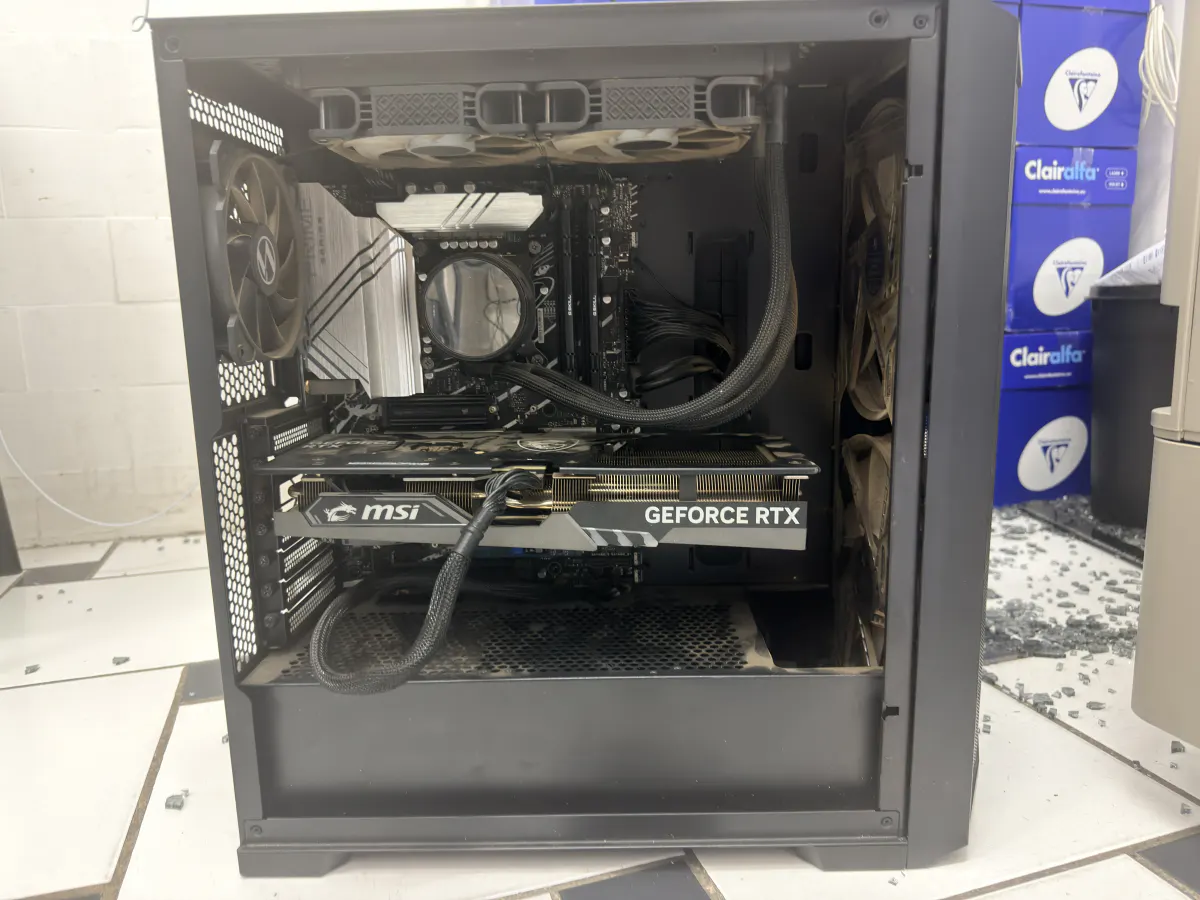
There are situations where I say it straight: don't put money into this machine. A computer that can't move to Windows 11 because it lacks a compatible security chip, right as Windows 10 approaches end of support, falls into that category — I cover this in more detail in my article on Windows 10 end of support. A machine that comes back to the workshop every two or three months with a different fault also signals general component ageing rather than one isolated incident. And for demanding uses — video editing, recent games, 3D work — upgrading an old case piece by piece often costs almost as much as a fresh build designed for that workload from the start, with a graphics card and power supply sized correctly from day one, like the one recently built below for a client in the 15th.
FAQ
Is the diagnosis to decide repair or replace free?
Yes. I never charge for the diagnosis: I open the machine, test the suspect components, then give you a quote before any work starts.
Does adding RAM always bring an old computer back to life?
Not always. RAM fixes slowdowns caused by multitasking and browser tabs, but it changes nothing if the processor itself is too weak for today's workloads, or if a mechanical hard drive is still the real bottleneck.
Is an SSD worth it on a computer older than 8 years?
Yes in most cases, as long as the rest of the machine still holds up: a decent processor, a healthy motherboard, and normal home or office use. The SSD is usually the single upgrade that makes an old machine pleasant to use again.
What should I do with my old computer if I replace it?
Recover your data first if you haven't already — I offer a data recovery service in Paris for drives that are fragile or already failing — then wipe the drive properly before donating, reselling or dropping it off at an e-waste recycling point. Never throw a computer out with household rubbish.
If you're still not sure after reading all this, that's normal: every machine is a different case, and a quote given remotely is always just an estimate. I make home visits for IT support across Paris and the near suburbs, with a free diagnosis and an honest opinion on what's worth doing. You can also check my background before trusting me with your machine.