Set Up a VPN for Remote Work: Paris Guide
A consumer VPN is for privacy. A business VPN is for reaching the files sitting on the office server. The two get mixed up constantly. Here's how to set up the right one, for a small business or a remote employee in Paris, without losing a week to it.
Published on 4 Aug 2026 · Small business IT maintenance in Paris

A client near Montparnasse called me this summer convinced that his personal VPN subscription, the one he uses to watch foreign TV while travelling, was also protecting his connection when working from home. It isn't the same tool: either you're paying for a service that does nothing for the office, or you assume you're protected while company files travel with no dedicated encryption. This guide separates the two uses and lays out the concrete options for a small business, an SME or a freelancer in Paris in 2026.
What a remote-work VPN actually does
A business VPN builds an encrypted tunnel between an employee's computer at home and the office network. Once connected, that computer behaves as if it were physically plugged into the company network: it can reach the file server, the NAS, locally installed accounting software, a networked printer or a remote desktop, resources normally only visible from inside the office. It isn't a general privacy tool, it's an extension of the office network out to someone's home. A bookkeeper I set up near Nation opens her VPN session each morning purely to reach the firm's shared folder; the rest, email, websites, video calls, goes straight out through her home connection.
Consumer VPN and business VPN: not the same thing
NordVPN, ExpressVPN, Surfshark and similar services do something different: they route your traffic through one of their own servers to hide your real IP address, get around a geographic restriction, or add privacy against your internet provider, with no connection to reaching a company's internal network. These services simply have no idea where your office is. When a client asks me to use their personal subscription to "connect to work", the answer is always the same: it won't work, you need a VPN that points at your own router or business server.
Router-level VPN: WireGuard or OpenVPN on the box itself
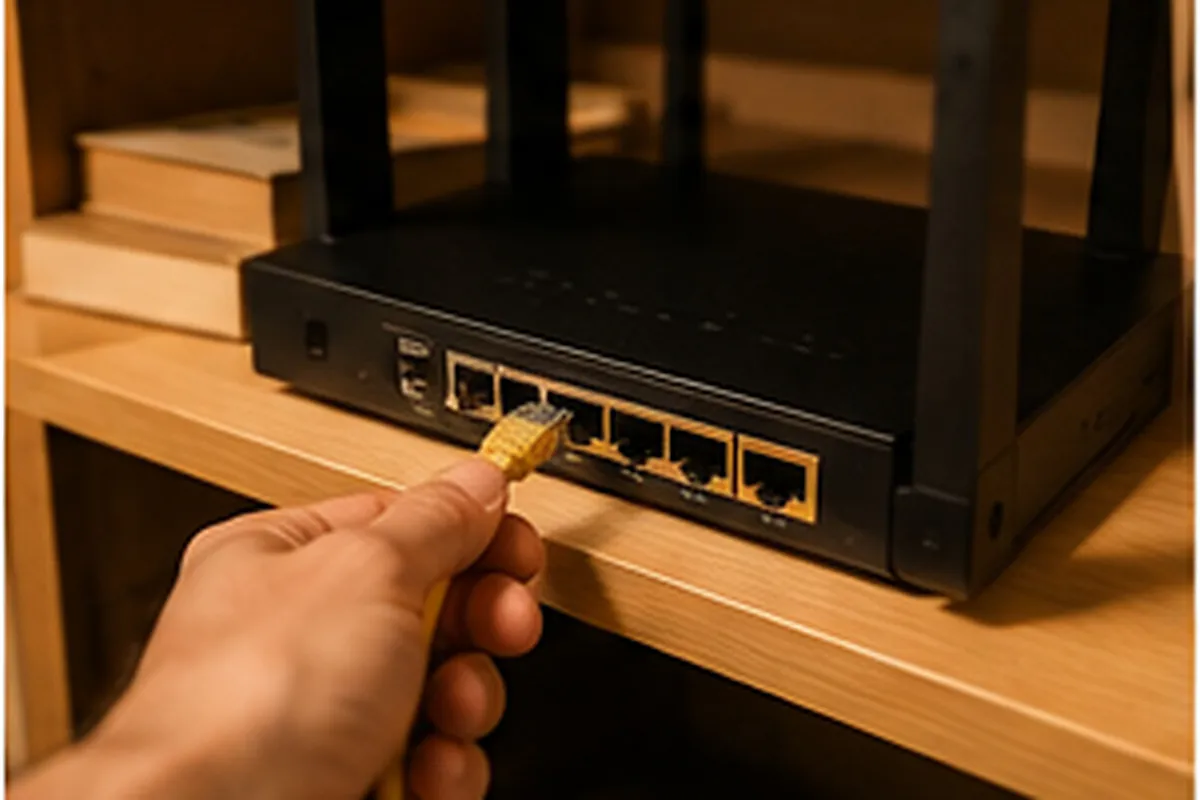
The sturdiest option for a small business is a VPN server hosted on a dedicated router, not on the ISP's own box. A standard Livebox or Bbox doesn't ship with a full WireGuard or OpenVPN server; you need a business-grade router, or a box such as pfSense, OPNsense, or a Synology NAS sitting behind it, configured to run the VPN server. For a six-person agency near République, I installed an OPNsense box behind the ISP router, opened a single port for WireGuard, and created one key per employee: everyone connects from the WireGuard app with a single tap. The hardware cost pays for itself quickly once several people need regular access to the internal network.
Windows's built-in VPN: enough for a simple need
Windows ships with a native VPN client, found under Network & Internet then VPN, supporting L2TP/IPsec, IKEv2 or SSTP. It connects to a VPN server already set up on the office router, with no third-party software to install. For a freelancer or a two- or three-person business that just needs to reach a shared folder now and then, this is often the fastest option: no subscription, no extra cloud account, just a connection profile entered once. The limit shows up as the team grows: every machine has to be configured by hand, there's no central console to revoke an access, and an employee switching computers means starting over.
Mesh networking, Tailscale-style, for a small team
Mesh VPN solutions, Tailscale being the best-known, work differently: every device, laptop, phone, small server, gets its own address on a private virtual network and talks directly to the others, without a central router or a port to open on the ISP box. Setup takes a few minutes per device, and a web console centralises access, which makes life much easier for a team split between a Paris office and several homes. For a five-person agency split between the 10th arrondissement and part-time remote work, this tool replaced an old router-based VPN that dropped once a month: each employee adds or removes their own device from the console.
Or maybe you don't need a VPN at all

This is the case people forget most often in VPN discussions: if all your files already live in SharePoint, OneDrive and Teams through Microsoft 365, or in Google Workspace, a VPN sometimes adds very little. Access gets secured instead through two-factor authentication and a conditional access policy, not a network tunnel. I recently talked a consulting firm near Opéra out of installing a VPN right after their full move to Microsoft 365: the real need was tightening conditional access, handled in a single visit as part of a Microsoft 365 support engagement in Paris, with no extra network hardware.
The setup steps, at a high level
Whichever option you pick, the rollout follows the same shape. Start by choosing the setup that fits the team's size and the resources actually needed from outside, no point over-equipping a solo freelancer. Next, configure the server, on the router, a dedicated box, or a Tailscale account, and create one access key per person rather than a shared login. Then install the client on every relevant device, followed by a real-world test: open the shared folder, print to the office printer, launch the line-of-business software, not just check that the VPN status shows connected. Finish with a short written procedure, one page is enough, so people can reconnect on their own without calling every time.
Common pitfalls: double NAT, ISP boxes, performance
The most common trap is double NAT: the ISP box already performs address translation, and a personal router plugged in behind it does a second round, which blocks incoming connections even when everything else looks correctly configured. The fix is to switch the ISP box into bridge mode, or forward the required port straight to the router hosting the VPN, never both layers at once. On performance, keep in mind that VPN throughput can never exceed the office connection's upload speed, often much lower than download on a typical fibre plan, and encryption adds a small amount of latency on top. Weak home Wi-Fi makes the slowdown feel worse than it is; sorting out a slow Wi-Fi connection in a Paris apartment beforehand avoids a lot of complaints wrongly blamed on the VPN. Keep the VPN client and the operating system updated too: a machine that's never been updated is still the single most common reason a session suddenly refuses to connect.
Realistic Paris 2026 setup prices
A dedicated router-based VPN for a small business, configuration included, runs between €250 and €450 depending on the number of devices (budget €80 to €220 extra for a suitable router or NAS if one needs buying). Windows's built-in VPN connected to a router already in place costs about the same as a standard maintenance visit, €60 to €90 per machine. A Tailscale-style rollout for a five-person team takes half a day, €180 to €320 all-in. A cloud-first audit with no VPN, migrating access and turning on two-factor authentication in Microsoft 365, typically runs €250 to €450. These figures always include testing real access, not just installing the software.
When to bring in a professional
Setting up a VPN client on your own computer is manageable for anyone willing to follow instructions. The calculation changes the moment you need to open a port on a business router or manage several employees with different access levels. A small business IT maintenance visit in Paris usually folds this kind of network configuration into a broader visit. If the VPN needs to work alongside a file server that's just been installed, checking the cost of a server installation for a small business helps budget the whole project. For a single home office with no business router on hand, the same work happens as part of a home visit IT support in Paris, and installing a suitable router is often folded into a Wi-Fi and printer setup in Paris. Once the VPN is running, don't forget backups either: reliable remote access is no substitute for an actual plan for backing up important data.
Frequently asked questions about VPN and remote work
Is a personal VPN (NordVPN, ExpressVPN...) enough for remote work?
No. A consumer VPN hides your IP address and encrypts your traffic to the internet, but it doesn't connect you to any office network. To reach the company server, NAS or printer from home, you need a VPN that points to your own router or business gateway, not a consumer subscription.
What's the simplest VPN to set up for a small team?
For a team of 3 to 10 people spread across several locations, a mesh network like Tailscale can be set up in half a day, with no port forwarding and no fixed IP needed. For a single person who just needs to reach the office, Windows's built-in VPN client is usually enough on its own.
Does a VPN really slow down the connection when working remotely?
Yes, to some extent: throughput can never exceed the office connection's upload speed, and encryption adds a few milliseconds of latency. For office work, this is rarely noticeable. For heavy video, check the office's upload speed before installing anything.
Do I need a VPN if the whole company already uses Microsoft 365?
Not always. If everything already lives in SharePoint, OneDrive and Teams with two-factor authentication turned on, a VPN often adds no real protection. It becomes useful again the moment something stays local, an on-premises server, line-of-business software, a networked printer, reachable only from the office.
Want a reliable VPN set up for your remote work or your team in Paris? Call or message me at 07 66 84 52 57, by phone or WhatsApp.